How it works
Approving, step by step
Pending, approved, rejected
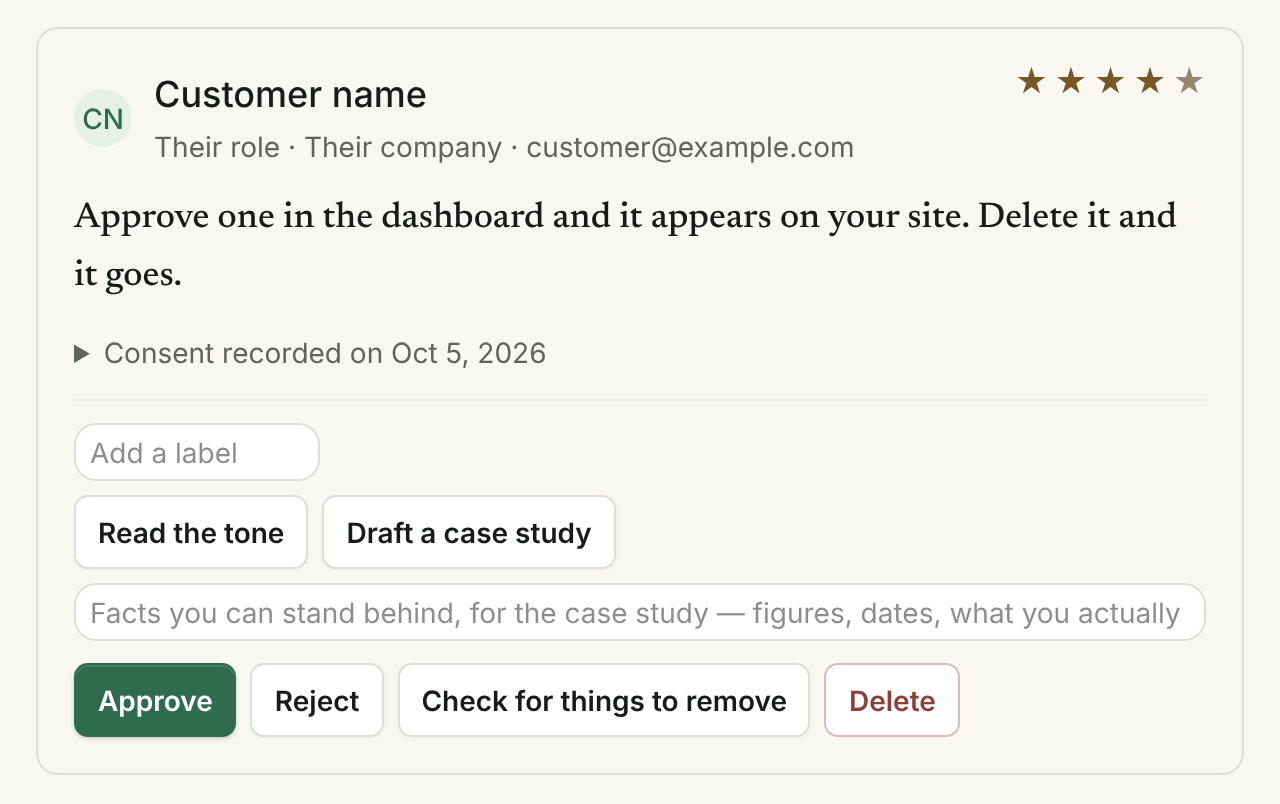
Three states and no ambiguity. A rejected testimonial is out of every widget immediately, and an approved one is still only served where its writer allowed. With approval by two people on, there is one more, Proposed: it stays in Pending and is published nowhere until a second person signs.
Approval by two people, if you want it
Switch it on and nobody publishes alone, you included: the first Approve is a proposal, and an administrator or the owner who did not propose it presses Sign and publish. Showing more of a published testimonial — the writer's full name where initials were shown, the words as written where a part was removed, a video or the writer's answer to one more question added to it — is a proposal too. Selecting many and pressing Approve proposes them; signing is its own button and never happens by accident.
Each testimonial's history
Open History on any card: how it arrived, whether it was read for risk, every proposal, signature, approval and removal from your pages and where its writer's permission put it, a part removed, a video added, a thank-you or a private reply sent, one more question asked and answered, a release agreed to — each with who did it, by the name you gave their seat, and when. Fifty steps a testimonial; past that, the oldest are folded into one line that counts them. It leaves with your CSV export.
Two people, one testimonial, no overwriting
Every change you make carries the version of the testimonial your page was showing. If somebody else approved, rejected, signed or changed it first — or its writer withdrew it — your change is not applied: the card says so in words and shows it as it is now, so you decide again on what is really there. In a batch, each one changed first is left as the other person left it and counted in the batch's result. Two people pressing Sign and publish at the same moment publish it once and announce it once.
Waiting for a decision, the most urgent first
Above the cards in Pending, everything waiting is listed as a queue: low ratings, complaints, writers who may be owed a reply, health, legal, financial or safety claims, anything the risk reading flagged and a writer's request to reconsider come first; then testimonials not read for risk, left for you by automatic moderation, proposed, with a recording or picture no AI read, a flagged address or a reward; then the rest. Within each, the one waiting longest is first. Each priority has a deadline — 2, 5 and 10 days unless the owner sets others, from 1 to 7, 14 and 30, never longer for the first than for the next — counted from when it arrived or was last put back in Pending. One past its deadline is marked, listed under "Is anything broken?" on your report, and named in an email at most once a week — in a week of its own when a low-rated, complaint or owed-a-reply one is among them, otherwise with the Pending alert — that comes out of your month of emails about your projects; the owner can switch the email off. Underneath, how long they have been waiting — the median and the longest — by rating, by language and by the most urgent reason. The language is guessed from common words and the alphabet, not read by AI, and says "Not sure" when it cannot tell.
Several at once, each one in front of you
Select testimonials in the queue and press Review: each is shown with its words, its rating, why it is where it is, how long it has waited and the places its writer allowed, before you approve, propose, sign or reject them. Rejecting asks for one reason for the selection from the list, on which being negative is not one, and every decision carries the version your page read, so one somebody else changed first is left as they left it and listed for you to look at again.
Hold automatic approvals while negatives wait
With automatic moderation on, the owner can choose that while any low-rated, complaint or owed-a-reply testimonial is past its deadline, it proposes what it would have approved, and a person approves it. It is off unless chosen. Positives are never published quickly while a complaint sits unseen, unless the owner decides they may be.
A reason for every rejection
Rejecting a testimonial, taking one off your pages or returning one to Pending asks why, from a fixed list: not a real customer's own experience, a private detail, not about this business, offensive, a claim you may not publish, a duplicate, the writer asked, and for a return also a mistake to correct or another look needed — or another reason, in a few words. Being negative or low-rated is not on the list, and a note that gives it as the reason is refused. The reason is on the card, in its history and in your CSV export. Rejected testimonials stay in the Rejected tab, where a decision can be corrected by returning one to Pending with its own reason; the earlier one stays in the history.
The writer can ask you to reconsider
The private withdrawal link a writer is given also lets them ask you, once for each decision, to look again at a testimonial you rejected or took off your pages, with a short message. It sends one email to your account's first alert address, counted in the month of emails about your projects; past that month nothing is sent and the request still waits on the card. Asking publishes nothing.
The same words twice, pointed out
When a testimonial arrives — through your form, the API, a paste, a file, Google Takeout or a feed — with the same words as one already in the project, ignoring case, punctuation and spacing, its card says "Same words as the one added from Google on Oct 3, 2026." It is not read for risk again, which saves one of the month's AI readings. Texts under forty characters are never compared, because short praise is written by many people. The CSV import's preview says how many rows are already in your project.
Tags, for the ones that go together
By service, by location, by campaign. A widget or a wall can be pointed at a single tag.
Labels suggested from your own list, when you ask
Press Suggest labels on a testimonial, or suggest them for up to twenty unlabeled ones in Pending, and a model chooses from the labels you already use. Anything not on your list is thrown away in code, and you add each suggestion with a click. Each testimonial counts as one of the month's AI readings; a project with no labels yet is asked to make a few first.
In which language
Once your list holds testimonials in more than one language, a select narrows it to one: English, Spanish, Portuguese, French, German, Italian, Dutch, or a language in another script, with how many of each, and "Not sure" for the short ones. The language is guessed from common words in what they wrote, not read by AI, and can be wrong. It only narrows the list in front of you.
Sort the list while you read it
Newest, oldest, highest rated, lowest rated, or most flagged first. That sorts the list in front of you; a widget's own order — newest, oldest, highest rated, with a video, a voice or a picture first, or shuffled — is set on the widget itself.
Reply privately, once
On a testimonial written through your form, "Reply privately" sends its writer one plain-text email in your business's name, with your address to reply to, so their answer reaches your own inbox and the conversation carries on there. The box says the rule before you type: nothing may be offered for changing or removing what they wrote. Your reply is kept on the card with the date it went. It is one email from the month's allowance, and it is not sent to an address that bounced or to somebody who marked your mail as spam.
Reply publicly, under a published one
On a published testimonial, the owner or an administrator can write one public reply of up to 600 characters, in plain text. It is shown under the testimonial on your hosted walls, in every widget layout, on its record page and in the API's business_reply field, always under "Reply from" and your business's name, and never joined to what the writer wrote. You can change it or take it off at any time; it is recorded in the testimonial's history, and readers see the change within a minute. Taken off your pages, the testimonial takes its reply with it.
Draft one for me
In the private and the public reply box, "Draft one for me" asks a model for a first draft from what the person wrote, their rating and an optional note of yours saying what you want to say. The draft goes into the box for you to read and change; nothing is sent or published until you press the button. A draft is held to rules in code, whatever the model was told: no offer of any kind, no request to change a review or a rating, no link, no figure you did not give, and none of their words repeated. It uses one of the month's AI readings, offered on the plans that carry them.
One more question, when it was general
When the reading found a testimonial general, "Ask one more question" sends its writer one question, typed by you or taken from one of your forms. It must be one line that ends in a question mark, with no praise word and no figure. Their answer comes back with its own permission, for the same places as their words, and waits on the card. "Add it below their words" shows it on your wall, your widget, the API and the record page, always under "Asked afterward:" and the question, and never joined to what they wrote.
Safe by design
The rule that makes it safe to have
Clear boundaries
What it will not do
Every capability page ends with this list. It is the part that says what you are actually buying.
- It will not publish without you, unless you switch on automatic moderation; then it publishes only what passes every one of its checks.
- It will not hide a bad rating from you.
- It will not reorder your wall on its own to put the best ones first.
- It will not invent a label, and it will not add one you did not click.
- It will not read a testimonial with AI to guess its language, and the language filter changes nothing that is published: it only narrows your own list.
- It will not offer anything for changing or removing a testimonial, and a private reply has no field for a gift, a refund or a code.
- It will not send a second private reply to the same person about the same testimonial. Their answer goes to your inbox, and the conversation continues there.
- It will not change a testimonial's status, words, permission or publication because you replied.
- It will not join an answer to the words it follows, edit it, or shorten it. It is shown whole, under its question, or not at all.
- It will not put an answer on a testimonial image, in a reel or in the review markup search engines read. Those carry the words as they were written.
- With approval by two people on, it will not let one person publish alone — not the owner, not through the API. Automatic moderation counts as one of the two: it proposes, and a person signs.
- It records who proposed and who signed; it cannot tell one person holding two links under two addresses from two people.
- It will not delete, hide or reject a testimonial for repeating another, and it will not call two short texts the same.
- It will not show a testimonial's history anywhere but your dashboard and your export: not on a wall, the widget, the API or the record page.
- It will not apply a change made on a version of a testimonial that somebody else, or its writer, has changed since; it says so and shows the testimonial as it is now. It cannot stop two people deciding differently one after the other.
- It will not reject a testimonial, or take one off your pages, without a reason from the list, and being negative, critical or low-rated is never one of them. The refusal reads what you choose and type; it cannot know what you meant.
- It will not tell a writer why their testimonial was rejected, or show the reason anywhere outside your dashboard and your export.
- It will not publish a testimonial, or change its permission, because its writer asked you to reconsider, and it will not send a second email about the same decision.
- It will not let a low rating or a complaint wait behind the rest: they are first in the queue with the shortest deadline, and no deadline for them can be set longer than for the others. Being first in the queue is never a reason to reject one.
- It will not count how long a testimonial waited before 17 Oct 2026 differently from after: the waiting times are of what is waiting now, from each one's own dates, and it keeps no history of earlier waits.
- It will not read a testimonial with AI to sort the queue or guess its language: the order comes from the rating, the arrival reading, automatic moderation's record and the dates already on it.
- It will not hold automatic approvals unless the owner switches that on, and it will not publish anything because a deadline passed.
- It will not publish a testimonial sent from your own domain until you confirm the writer is a customer and not on your team, and it will not publish a review by your own staff at all. A testimonial the risk reading found states a result is not published until you add what results customers can generally expect, shown with it everywhere as your words.
- It will not join your public reply to the writer's words, put it in the review markup search engines read, on a testimonial image or in a reel, or show it under a testimonial that is not published.
- It will not write or publish a public reply for you: a draft you ask for goes into your own box, and nothing is shown until you press Publish. It will not hold a public reply to approval by two people either; it is your business speaking for itself, like your wall's notice.
- A draft from "Draft one for me" never offers anything, never asks the person to change, remove or add to a review or a rating, carries no link or address, states no figure you did not write in your note and does not repeat their words; a draft that does is thrown away in code and you are told why. It will not check that what a draft says about your business is true: you read it, and once you send it, it is your reply.
- It will not send, save or schedule a draft. Asking for one sends nothing to anybody and stores nothing.
Where it lives in the code: components/DashboardClient.tsx · components/TriageQueue.tsx · lib/triage-rules.ts · app/api/triage/route.ts · lib/testimonials.ts · app/api/ai/tags/route.ts · lib/ai-filters.ts · lib/reply-rules.ts · app/api/reply/route.ts · lib/follow-up-rules.ts · app/api/follow-up/route.ts · lib/approval-rules.ts · lib/history-rules.ts · lib/history.ts · lib/duplicate-rules.ts · lib/duplicates.ts · components/TestimonialHistory.tsx · lib/decision-reasons.ts · components/DecisionReasonPicker.tsx · app/api/withdraw/reconsider/route.ts · lib/business-reply-rules.ts · app/api/business-reply/route.ts · components/PublicReplyControls.tsx · lib/reply-draft-rules.ts · app/api/ai/reply-draft/route.ts · components/ReplyDraft.tsx
Questions
Asked about this
From Help, where every answer is written from the product as it runs.
What does Hazelsong check before publishing, and what does it not verify?
Before anything is public, Hazelsong checks three things: that its recorded permission (the writer's own sentence, or, for an import, the API or a feed, the business's statement that it has permission) allows the place it would appear, and it is served nowhere else; the risk reading of its typed words, when the month's AI readings allow, while a recording or a picture is never read by AI and anything not read says so; and that the business approved it, in person or through the automatic moderation it chose to switch on. Nothing is published before that approval. Hazelsong does not verify that what a testimonial says is true, who wrote it, or that they bought anything, beyond what its record shows: how it arrived (the business's collection page, an import, the API or a feed), its permission and when it was given, whether a reward was attached, and whether a second person approved it. Publishing through it is not an endorsement of any testimonial.
Can I fix a typo in a testimonial?
No. There is no route in this product — no dashboard control, no API field, no administrator, no support request — that can change a testimonial's text. That is the rule the whole product is built around, and it is checked in code rather than promised in a policy.
Then what do I do about a phone number somebody left in it?
Remove that span: press Check for things to remove for a proposal, or Remove a part yourself to select the words, which uses no AI reading. The span becomes [removed], every other character stays exactly as written, and the reader is told something was taken out. If a result differs from the original by a single word anywhere else, it is discarded rather than applied.
Can I shorten a long testimonial for a widget?
Not by storing a shorter version: nothing here can keep a cut-down copy as though it were what somebody wrote. What a layout may do is show less of it — the compact, marquee, toast and sidebar layouts stop a long testimonial at six lines, and there is no control that opens the rest. Every other layout shows the whole of it, so the choice to make here is the layout.
This is running now
Open a project and use it. Nothing on this page is a roadmap.